imtoken will never ask for your seed phrase, private key or verification code. Always review the address, network and request details before transferring, signing or approving.

A multi-chain wallet, blockchain network and Web3 knowledge hub from imtoken

Manage Multi-chain Assets and Connect to Web3 with Clarity

Bring multi-chain assets, network selection, sending and receiving, DApp connections, approvals, network knowledge and wallet security into one understandable workflow. imtoken focuses on what to check before an action and how to verify the result afterwards.

Multi-chain assetsNetwork checksDApp approvalsSecurity learning
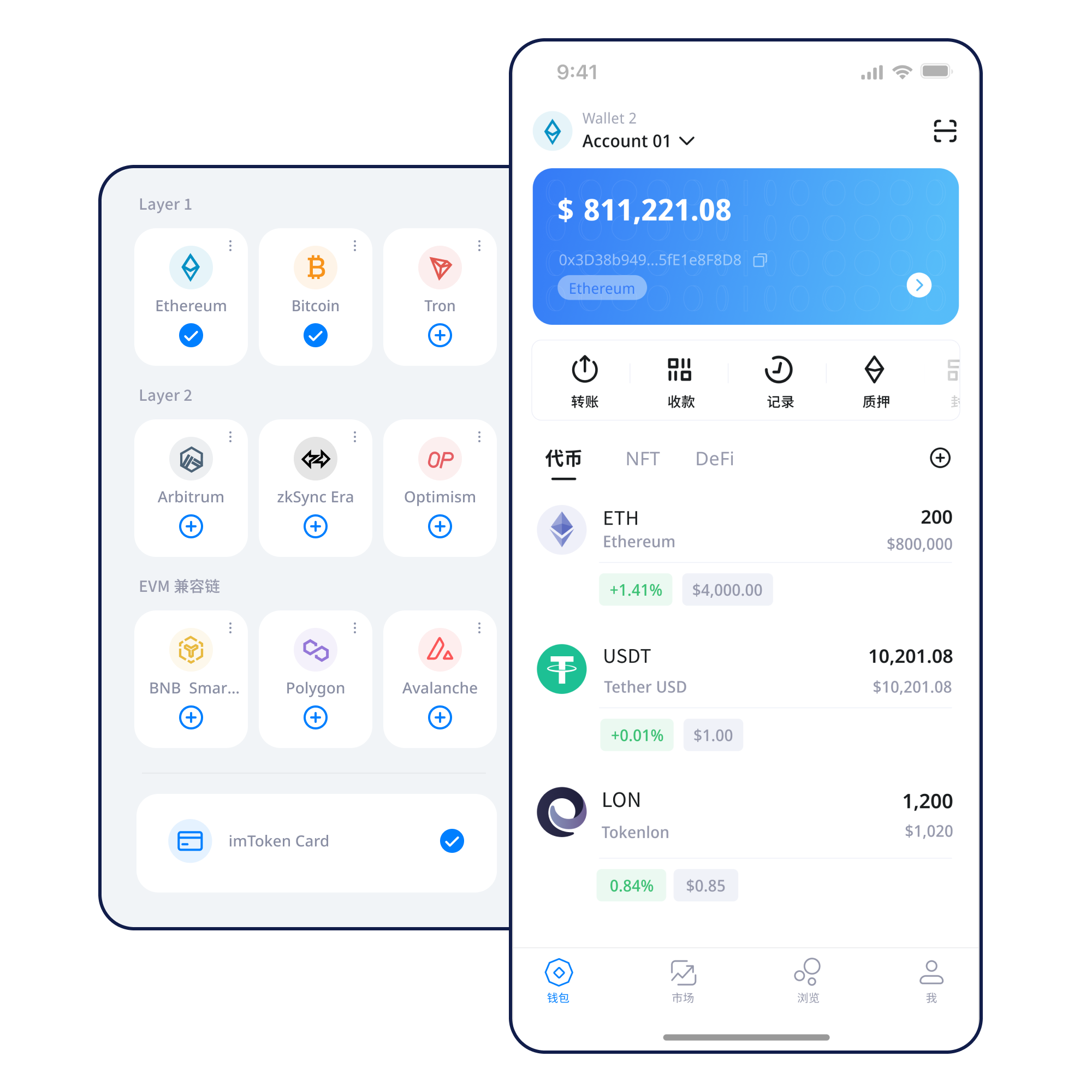
Illustrative imtoken multi-chain wallet interface

Start with a task

You do not need every term before taking the next safe step

Wallet capabilities

Different tasks deserve different information structures

Multi-chain assets

Knowing which network an asset belongs to matters more than its short name

The same asset label can appear on multiple networks. Before sending or receiving, check the network, address and token contract context, then use transaction confirmations to verify the on-chain result.

Understand multi-chain networks →
Diagram showing several blockchain networks
Illustrative imtoken App asset and network view

imtoken App

Review assets, switch networks, inspect transaction history and read connection or signature requests before interacting with DApps.

Explore the App guide →

Send & Receive

Turn address, network, amount, gas and transaction hash into one verification chain

Do not stop at a “submitted” message. Use the transaction hash to inspect the status on the relevant network.

Read the transfer guide →

imtoken Web

A browser connection is not blanket approval for later requests

Review each signature and approval on its own. Confirm the requester, network and permission scope, then disconnect sessions you no longer need.

Understand Web connections →

Wallet security

Keep recovery material offline and revisit on-chain permissions

Never send a seed phrase or private key to anyone. Review approved spenders, permission scope and unfamiliar signature requests.

Open the Security Center →
Illustration of offline wallet recovery protection

Explore networks

Know which chain you are on before deciding what to do next

Network identity, asset state and confirmation rules belong to the same context. Switching the network shown by a wallet does not move assets between chains.

Multi-chain network relationship diagram

Multiple networks are not one merged ledger

Each network maintains its own nodes, blocks and state. The same-looking address can exist on several networks without causing assets to move between them.

Explore multi-chain concepts →
Public chain nodes and blocks diagram

Public networks maintain shared state through distributed nodes

Transactions are propagated, processed and included in blocks. A block explorer helps you inspect transaction status, block height and confirmations.

Learn public-chain basics →
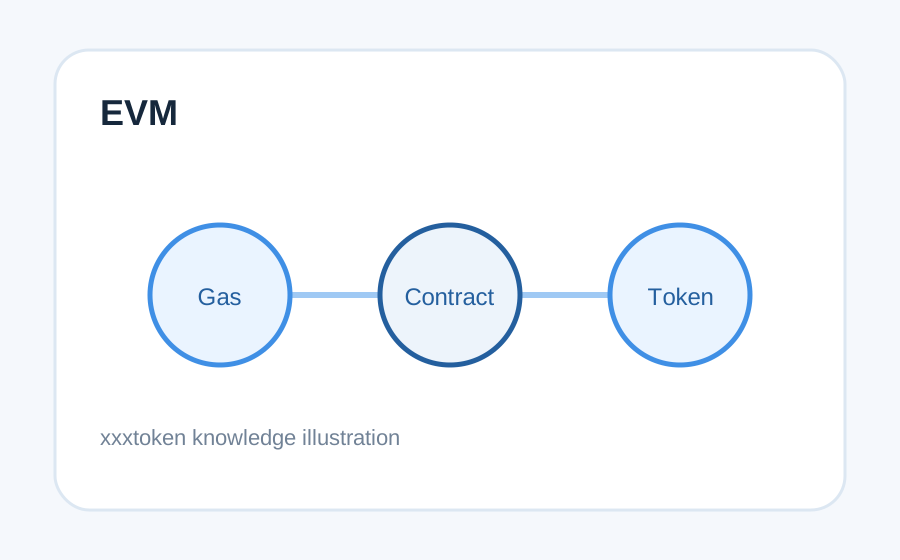
EVM network and smart-contract diagram

EVM networks share an execution model, not a single state

Compatible networks often use similar address formats, yet gas, token contracts and network state still belong to each individual chain.

Understand EVM networks →
Layer 2 and mainnet relationship diagram

Layer 2 systems have explicit boundaries with their base layer

Cross-layer activity can involve bridges, waiting periods and multiple confirmation stages. A shared ecosystem does not mean a shared network.

Explore Layer 2 →
GasRequest enters networkWaits for inclusionEnters a blockGains confirmations

Gas reflects execution resources; confirmations reflect network state

Fees and confirmation speed can change with conditions. If a transaction remains pending or fails, start with its transaction hash.

Learn about gas and confirmations →

Wallet journey

Break first-time use into six verifiable steps

  1. 01

    Get imtoken

    Use the official download path and ignore links that ask for recovery secrets.

  2. 02

    Create or Import

    Know the difference between creating and restoring, and never enter recovery secrets into a website.

  3. 03

    Back Up Offline

    Keep the seed phrase offline and avoid screenshots, public cloud storage and chat apps.

  4. 04

    Select the Network

    Match the network, address and asset context before proceeding.

  5. 05

    Receive or Send

    Review address, amount and gas; a small test can reduce avoidable mistakes for a large transfer.

  6. 06

    Review Transactions & Approvals

    Keep the transaction hash and revisit DApp approvals you no longer need.

Web3 & DApps

Connecting is only the beginning; the real decision happens on every request

Check the DApp domain and network before connecting. Message signatures, transaction signatures and token approvals that appear later are independent requests and should never be accepted simply because a connection already exists.

Security reminder

Connecting a wallet does not mean every signature request should be approved. Review each signature and approval separately.

Open the Web3 guide →
  1. Visit the DApp
  2. Confirm the domain
  3. Start the connection
  4. Review account requests
  5. Inspect signatures or approvals
  6. Complete the action
  7. Disconnect unused sessions

Security

Security comes from repeatable checks, not a single “perfectly safe” switch

Seed phrases and private keys are control information that should remain with the user and, where practical, offline. Treat unfamiliar DApps, phishing links, fake support, fake airdrops and remote-access requests with caution rather than relying on visual appearance or claimed identity. Check the address, network and amount before transferring; review the requester and permission scope before signing or approving. Confirmed on-chain transactions generally cannot be reversed unilaterally by a wallet, and third-party DApps or smart contracts can introduce technical and permission risks. Shared devices, public networks and clipboard manipulation deserve additional care.

Open the Security Center →
Illustration of offline wallet security
  • Back up seed phrases offline
  • Never disclose private keys
  • Verify networks and addresses
  • Inspect signature requests
  • Manage DApp approvals

Academy

What Should You Understand Before Using a Digital Wallet?

An address identifies an on-chain account, seed phrases and private keys determine control, networks determine where a transaction happens, gas reflects execution resources, and a transaction hash gives you an independent way to inspect the result. DApp use adds another layer: connections, signatures and approvals are related but distinct.

Start with the beginner path →

Ethereum & PoS

Understand validators and network mechanics before evaluating staking

Ethereum PoS uses validators for block proposals and attestations. Rewards, validator status, withdrawals and exits depend on protocol and network conditions. Before participating, consider waiting periods, service fees, smart-contract risk and the role of third-party providers.

Ethereum Staking basics →

Product & Security Updates

Explain meaningful changes without artificial urgency

View all updates →
Recent Update · Product

How to read wallet network information

Review the active network and token contract context together rather than relying on an asset ticker alone.

Security Notice

Be cautious of anyone asking for seed phrases, private keys or verification codes

imtoken will never request them. Do not send recovery information through chats, forms or remote-control tools.

Network Notice

Confirmation time changes with network conditions

If transaction status differs from expectations, inspect the transaction hash on the relevant network first.

Service Notice

Interpret staking information in the context of current network rules

Rewards, waiting periods and validator conditions can change and are not fixed-return promises.

FAQ

Start with eight common questions

The full FAQ covers wallets, networks, gas, DApps, approvals, EVM, Layer 2, Ethereum, PoS and validators.

Open the full FAQ →

No. imtoken will never ask for a seed phrase, private key or verification code.

Verify the address, network, asset, amount and gas.

Network demand and transaction complexity can affect fees.

It lets you inspect a transaction on the relevant block explorer.

No. Later signatures and token approvals must be reviewed independently.

No. The same-looking address can exist across separate networks.

No. Cross-layer movement normally requires an explicit bridge or protocol process.

No. Rewards, network conditions, waiting periods and asset prices can change.

Get started

Understand first, act second, verify every step

Use the imtoken download path, keep recovery information offline, match the network before transfers and review DApp requests individually.

Download imtoken